

Custom Publish URLs require a paid plan. Upgrade
here.
How It Works
By default, you are assigned a random website address hosted by Magic Patterns. But using the “Publish” button, you can assign a custom website address to your design. For example, using our Custom Publish URL feature, if you wantmy-portfolio as your website address, your site will be live at project-my-portfolio.magicpatterns.app.
How to Publish to a Custom URL
1
Click the Share button
Click the Share button at the top of the editor.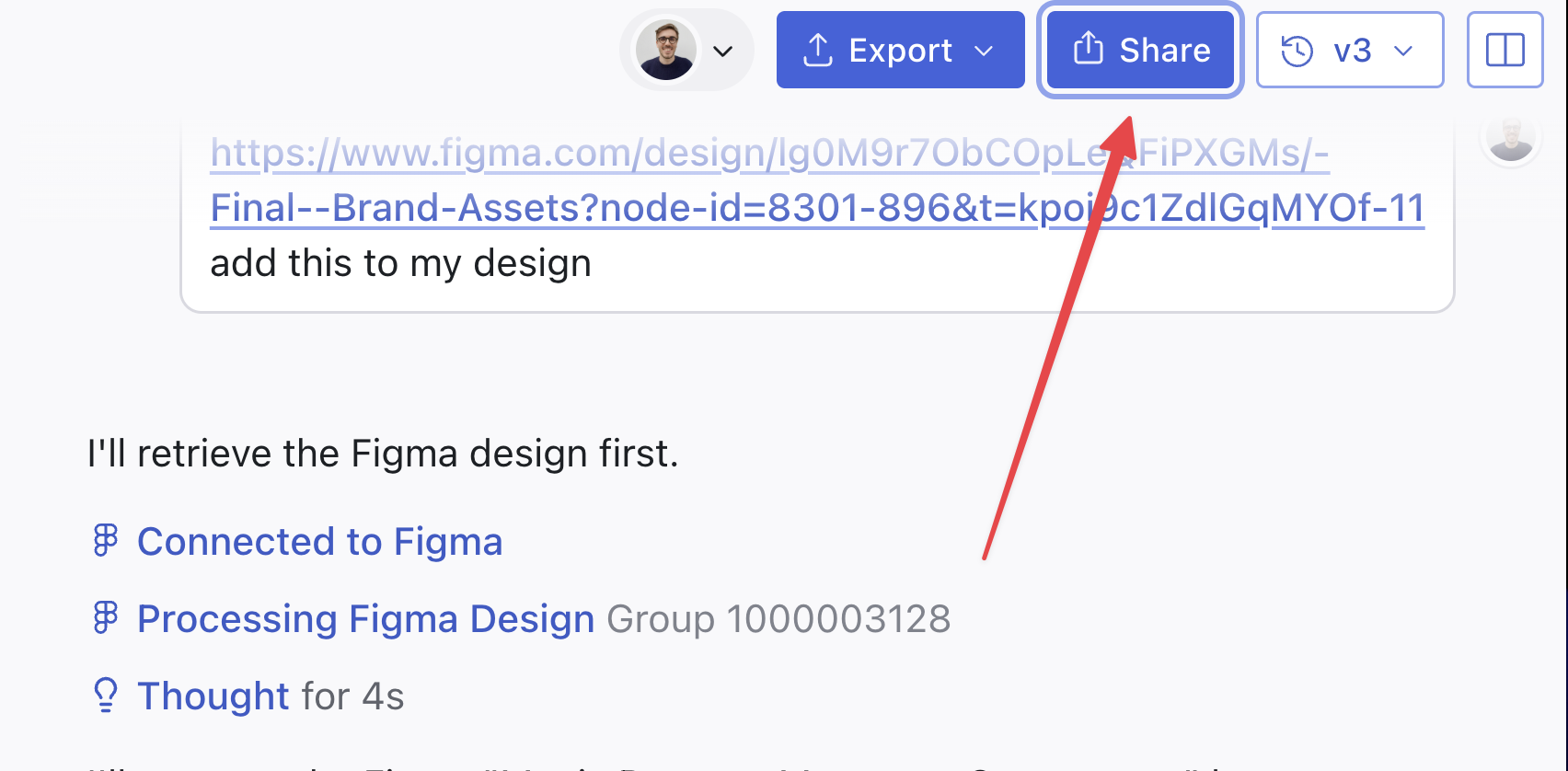
2
Enter your preferred website address (slug)
In the Publish modal, enter a name for your custom URL in the “Add Custom Publish URL” section.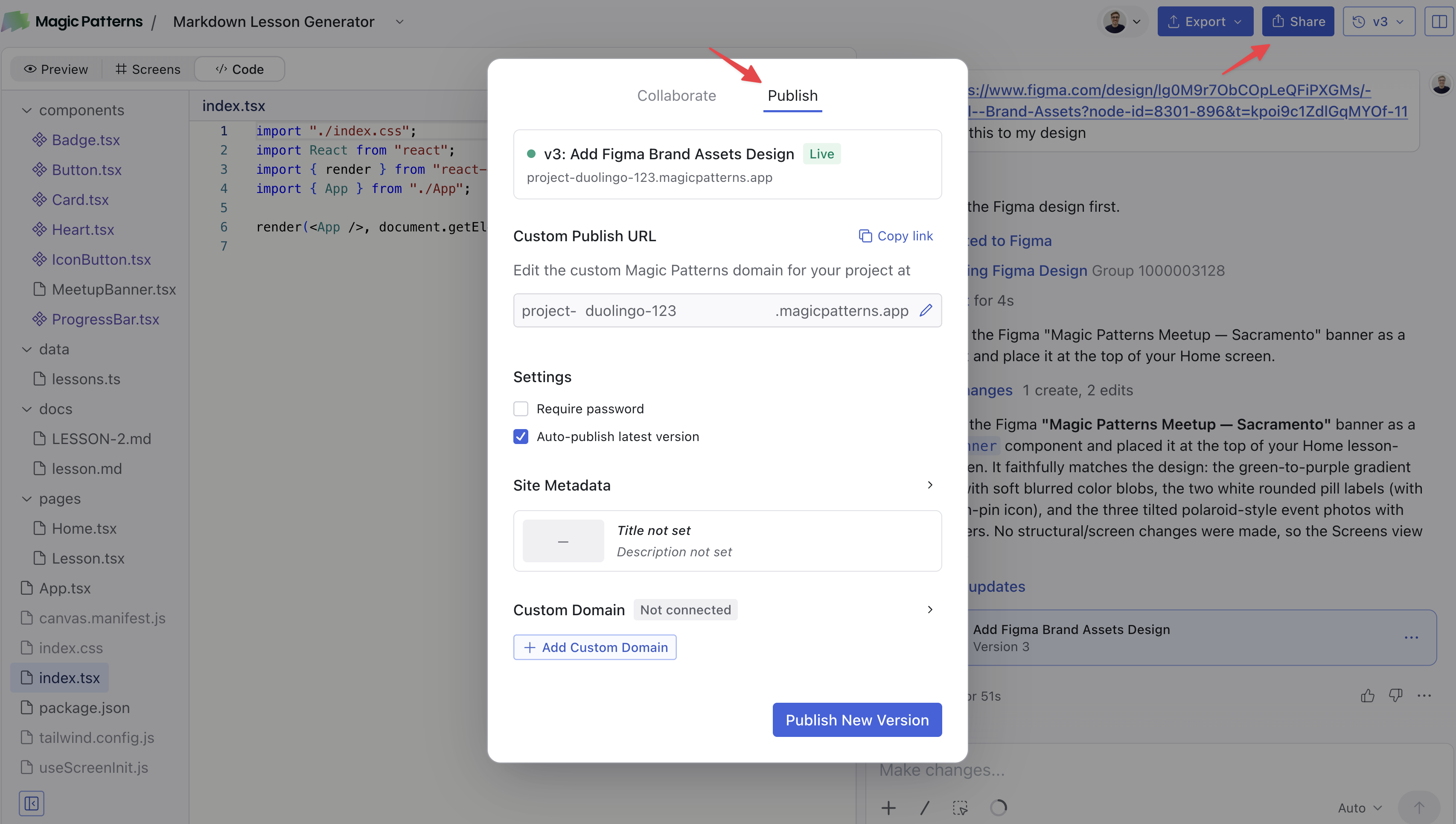
3
Click Publish
Your site will be live immediately. In the example screenshot, the URL is
project-mindfulnesscards.magicpatterns.appChanging Your Website Address
You can change your website address at any time by going back to the Publish panel and entering a new one.Next Steps
Ready to use your own domain not on*magicpatterns.app? See Host on a Custom Domain for instructions on connecting a domain you own.